
Will The Oticon TV Box Work With Other Hearing Aids?
April 16, 2026
Released in 2016, the Oticon TV Adapter 3.0 is currently the primary TV streaming device for all Oticon hearing aid devices with Bluetooth capability.
Unlike other TV streaming devices, the TV Adapter 3.0 will not work with hearing aids from other brands such as Starkey, Phonak, and Signia. The TV Adapter 3.0 uses a specific proprietary signal that only pairs with Oticon brand hearing aids.
Oticon hearing aids compatible with the TV Adapter 3.0 include the flagship models such as the Oticon Intent, Real, and Zeal, as well as standard models like the Zircon, Opn, Ruby, and Xceed.

TV Streaming Options for Other Hearing Aid Brands
An IP rating of IP68 can be broken into two parts – the first number (6) indicates the level of protection If you do not have a pair of compatible Oticon hearing aids, you will need another different TV streamer with the right connection capability.
Most hearing aid brands have their own version of TV box streamers designed to connect directly to the same brand of hearing aid device.
- Phonak TV Connector – Features AirStream technology for easy plug-and-play connection to hearing aid models like the Phonak Infinio, Lumity, Paradise, and Marvel.
- Starkey TV Streamer – Compatible with Starkey Livio and Omega AI models.
- Signia StreamLine TV – Delivers dynamic Dolby Digital audio; works with Signia AX, Xperience, and Nx models.
- ReSound TV Streamer+ – Uses Auracast technology and is compatible with ReSound Nexia and Vivia. There is also a TV Streamer 2 model that supports wireless connection with most Resound hearing aids.
- Widex TV Play – Features dual-antenna technology; compatible with Widex MOMENT and Allure hearing aids.
There are also non-brand-specific TV streaming devices that work with most types of hearing aids regardless of brand. These universal wireless TV streamers offer flexibility in terms of connectivity – you won’t need to buy a new TV streamer if you decide to change to another hearing aid brand in future.
Having a universal TV streamer also means that family members or guests with hearing aids from different brands can still connect and listen to the same TV program, at the same time.
Common TV Streaming Issues for Hearing Aids
Whether you have the Oticon TV Adapter 3.0 or a TV streaming device from a different brand, it’s not uncommon to encounter problems while connecting your hearing aid device or issues with the quality of the audio.
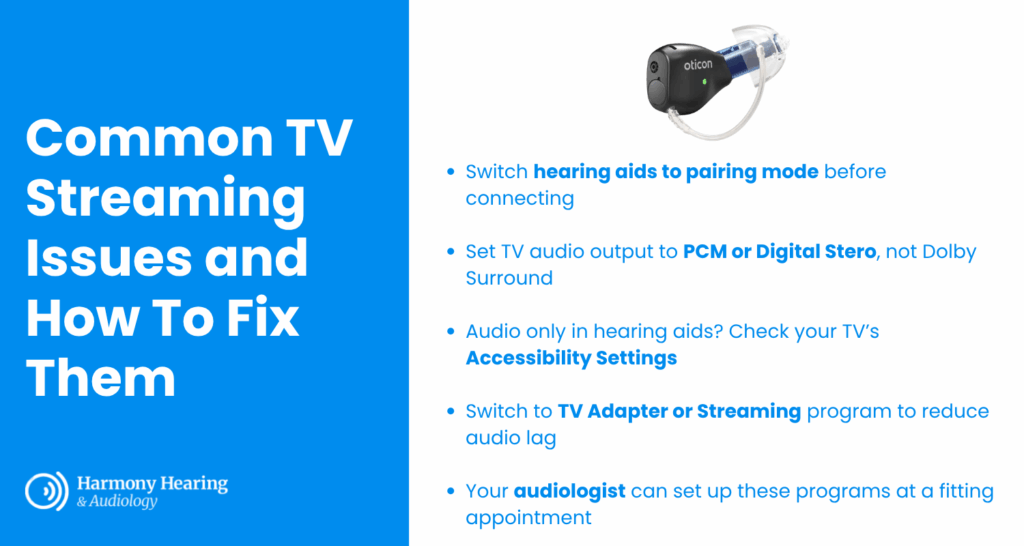
We’ve compiled a simple troubleshooting guide below to help you resolve these common issues.
Device pairing failed
Most hearing aid devices will automatically connect to their respective branded TV streamers.
If you are having trouble pairing your hearing aid device with the TV streamer, first check whether the two are compatible via the manufacturer’s guide.
Then, try restarting the hearing aids by turning them on and off – this will put the hearing aids in pairing mode for about 3 minutes. Rechargeable hearing aids can be restarted by putting them in and out of charging dock. You should receive a visual confirmation on the TV streaming device (such as a steady blue light on the Oticon TV Adapter 3.0) indicating that the pairing was successful.
Audio not coming through after being connected
If you use an optical (TOSLINK) cable, your TV’s audio output must often be set specifically to PCM or Digital Stereo rather than Dolby Surround to ensure the streamer can process the signal. These settings can be changed on your TV.
TV audio only coming through hearing aids
Most modern televisions can output sound to both the internal speakers and an external device (like your hearing aid streamer) at the same time so that hearing aid users can watch along with family and friends who do not have hearing loss.
If the TV audio is only coming through your hearing aids, navigate to the Accessibility settings in your TV. There should be a setting that allows audio to play through connected speakers and the TV streamer.
Delayed audio when compared to visuals
Audio lag can occur when hearing aids take too long to process the signal from the TV streamer. Hearing aid smartphone apps typically have a setting to circumvent this – on the Oticon Companion App, there is a setting to switch the hearing aid program to “TV Adapter” or “Streaming”. This program is tuned to bypass heavy sound processing and reduce delay.
Your audiologist can guide you through the use of these settings and set up many of these programs on your behalf during a hearing aid fitting appointment.
